Menu-ready food photos
DishFlair Your phone isn't a pro photographer. Now it is.
Snap the dish as it comes out of the oven. DishFlair turns it into a menu-ready photo, the same perfect look every time, sized for online ordering, Clover, Google and socials.
Sign up at dishflair.com.
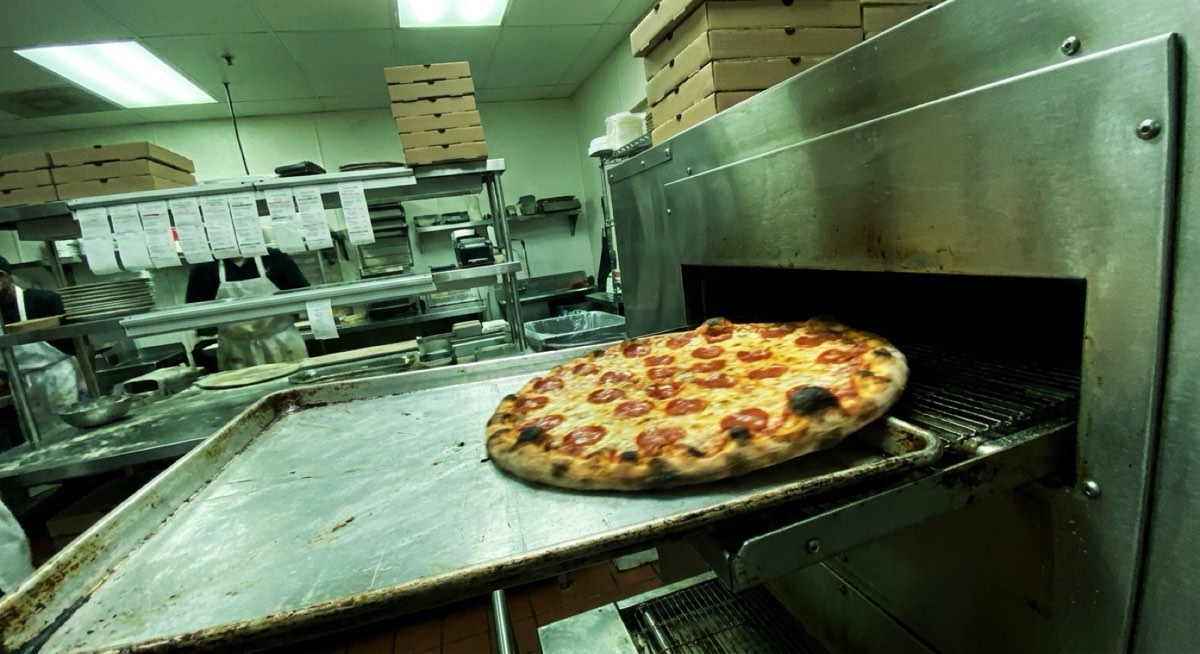
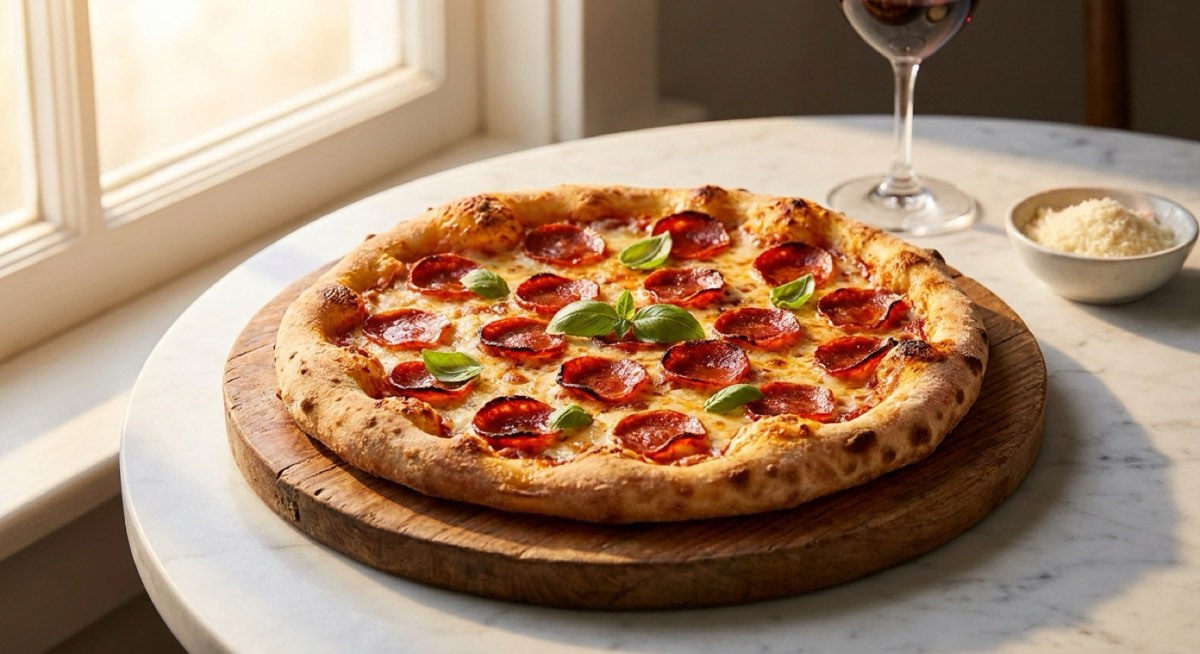
From the oven to the menu
- 01
Snap it on the line.
Take the picture as the pie comes off the oven. That's the whole job.
- 02
DishFlair rebuilds it.
New lighting, setting and style. Your pizza, made menu-ready.
- 03
A studio shot back.
The same look on every dish, so your whole menu matches.
- 04
Use it everywhere.
Sized for online ordering, Clover, Google and socials.
- 05
It tells you when.
It can prompt your staff when it's time to photograph a new or popular dish.
How it works
Up and running in three steps
Take the photo
On your phone, right off the oven.
DishFlair does the rest
Lighting, setting and style, made menu-ready.
Use it everywhere
Sized for ordering, Clover, Google and socials.
What it does
Your phone isn't a pro photographer. Now it is.
Snap it on the line
Take the picture right as the pie comes off the oven. That's all.
A studio shot back
It rebuilds your photo into a beautiful, menu-ready shot.
Every photo matches
The same uniform look across your whole menu.
Sized for everywhere
Online ordering, your POS, Google and socials.
Reminders to shoot
It can prompt your staff when it's time to photograph a new or popular dish.
What you get
What changes in your store
- A menu that looks as good as the food
- No photo shoot
- Photos ready for every platform
Works best with
Better together
-
Gridiron Online Ordering
Online ordering
The fastest, best mobile ordering your customers have ever used.
-
Pizza Clout
Social loyalty
Own the clout in your area.
-
slicetext
Autopilot SMS, notifications and loyalty
Break through the noise.
Questions
Do I need a good camera?
No. The phone in your pocket is enough.
Where do the photos go?
Sized for online ordering, your POS, Google and socials.
Where do I sign up?
At dishflair.com.